ONLINE TRAINING FOR AUTHORS, COACHES, SPEAKERS, FREELANCERS & BUSINESS OWNERS



WordPress Video Tutorials
What's your experience or exposure to WordPress? Do you want to learn how to build and maintain WordPress websites? Well, this set of video tutorials will help you do all that and more when it comes to WordPress websites.
PART 1
Getting Started With WordPress
Video Tutorials
BY BART SMITH, MTC FOUNDER
Getting started with WordPress is pretty easy when you’re given the direction, guidance and tips in these starter video tutorials on WordPress. The first thing we do is find hosting for your WordPress website. I’ll show you how that’s done. Then, we’ll install WordPress. I’ll show you how that’s done too. From there, I’ll give you a peek into the upcoming videos and what we’ll do to customize our WordPress installation so we can start adding plugins, a theme, pages, articles/posts, menus, widgets, a shopping cart and all the rest.

PART 2
Finding/Installing WordPress Plugins
Video Tutorials
BY BART SMITH, MTC FOUNDER
After you install WordPress on your website hosting account, the first thing I do is move all the plugins I typically use with any initial WordPress installation. When you see the plugins I sue, why I use them and why I install my plugins first before anything else, well, you too might follow in my footsteps and do the same with your WordPress installations.
PART 3
Finding/Installing WordPress Themes
Video Tutorials
BY BART SMITH, MTC FOUNDER
After I install my plugins, I’ll install my theme. First, let me show you what a WordPress theme is, the difference between free and premium themes, where to buy a quality premium WordPress theme, then how to install it, customize it and well, bask in the glory of your newly installed theme. You’re ready to start adding your pages and posts after this step.
PART 4
WordPress
Media Library
Video Tutorials
BY BART SMITH, MTC FOUNDER
Before we get too far into working with WordPress, let me give you a tour of the Media Library, creating and using Media Library categories, how to upload images and assign them to a Media Library, and other stuff related to WordPress’ Media Library.
PART 5
WordPress Pages
Video Tutorials
BY BART SMITH, MTC FOUNDER
Once your theme is in place and you’ve got your plugins all squared away, it’s time to have fun and start adding some pages to your WordPress website. Here are some great tutorials on doing that and a lot more.
PART 6
WordPress Posts
Video Tutorials
BY BART SMITH, MTC FOUNDER
While posts are just another name for articles that go inside your blog, did you know you could use your posts for other purposes? Well, there’s a lot to know about posting articles on your WordPress website blog. I’ll cover post categories, sorting those categories, different types of posts (i.e., standard, audio, video, etc.), and much more.
PART 7
WordPress Menus
Video Tutorials
BY BART SMITH, MTC FOUNDER
After you’ve added a few posts and pages to your website, it might be time to create your websites’ menu navigation system. You should know, there are potentially several menu spots on your website: top (or secondary) menu, main (or primary) menu, footer menu, as well as other menus that can be used in different locations of your website. Well, let’s get into creating and customizing your menus and I’ll show you some very cool tricks you can do with them. For example, I’ll show you how to add menu links that appear and disappear whenever someone is logged into your website or not. I’ll tell you why that’s important in that particular video tutorial.
PART 8
WordPress Widgets
Video Tutorials
BY BART SMITH, MTC FOUNDER
I remember when I first was introduced to WordPress widgets. I was like, “What’s a widget? Where do they go? How do you put them where you want? What else can you do with them?” Well, it wasn’t long before I mastered what they were and started getting creative with their use. These video tutorials will show you what I mean. Oh, widgets are basically something/anything you put in the sidebar of your website, such as an opt-in box, advertisement, list of popular posts, social icons, etc.
PART 9
Add Shopping Cart Buy Buttons
Video Tutorials
BY BART SMITH, MTC FOUNDER
You’ve come a long way with your WordPress website at this point that it’s time to add a shopping cart or buy buttons to product pages that you built to sell your products/services. This part’s fairly easy, depending on the shopping cart you might be using.
PART 10
WordPress Membership Websites
Video Tutorials
BY BART SMITH, MTC FOUNDER
Another way to make money from your WordPress website is to sell protected pay-to-view/listen-to content behind a membership wall. To do that, all you need is a WordPress membership plugin to help you accomplish that goal. There are several out there. I’ll go in to many of them and show you how to set up a simple membership website using a free (and simple) membership plugin.
PART 11
WordPress
CSS & PHP Files
Video Tutorials
BY BART SMITH, MTC FOUNDER
If you’re like me, you’re not always satisfied with how your website theme or certain plugins might look or behave. Well, what can you do about it? You can find, edit and customize the css and/or php files of your WordPress website theme (and plugins too) so your eye is happy with what you see. We’re talking font selection, font sizes, font colors, padding and margins (top, left, right, bottom), do you want something to display or be hidden from sight, and so much more. I’ll show you how I inspect the code, experiment with what I want, and when I see what I want, edit the actual css or php file, refresh the page and if I like the change I made … I move on! Or? I go back and make another small change or scrap it and keep it as is. I’m guilty of doing so much css customization that you can’t even tell sometimes what theme I’m using.
PART 12
WordPress SEO Optimization
Video Tutorials
BY BART SMITH, MTC FOUNDER
You’ve done a lot of work up until now to get your website ready to be seen by the public. Before you launch out and promote it, let’s optimize it in several ways and go over how this is done.
PART 13
Importing & Exporting WordPress Content
Video Tutorials
BY BART SMITH, MTC FOUNDER
At this juncture, you might run into situations where you need to import or export something into or out of your WordPress website. This might be pages, posts, a contact form, menus, widgets, various plugin content, etc. Here’s how a lot of that’s done so you know how to do it when the need arises.
PART 14
Other WordPress Tools & Settings
Video Tutorials
BY BART SMITH, MTC FOUNDER
Wow, if you’ve made it this far in my tutorials I commend you. In this section, I’ll go into a few tools and other settings you might want to be aware of when it comes to maintaining your WordPress website. It’s funny, because I never could have created a section of video tutorials for a section like this unless I myself had gone this far in building and maintaining my own WordPress website. When you just start out, you never know what you don’t know. I guess that’s what I’m trying to say here. Hey, enjoy these video tutorials.
PART 15
Moving Your WordPress Website
Video Tutorials
BY BART SMITH, MTC FOUNDER
Sometimes, there comes a day when you have to move your WordPress website to another website hosting company for whatever reason. Well, here’s how I go about doing that. What’s more, learning how to move WordPress websites helps you to know how to duplicate a site if you wanted to clone it for another website. I’ll show you some tricks to do that too. This is going to be a very eye-opening chapter, to say the least. Oh, also, this is a great section to review in case you ever hire someone to perform this task for you, they’ll do so with the understanding that you know how this is done and you’ll be aware of their every step. This goes to help you from being taken advantage of. Maybe you don’t have the time to perform this move, but it’s wise to know how it's done.
BOOKS & AUDIO
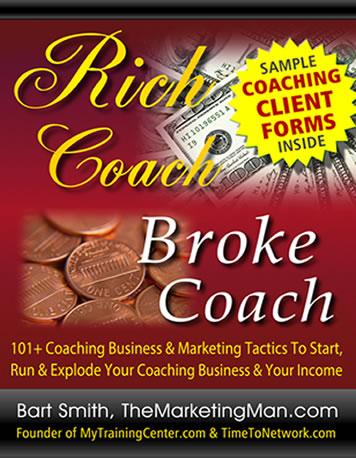
How would you like this book (and others) by your side to help you excel in certain business activities? Check out my business books, eBooks and FREE audiobooks available on my YouTube channel.
JOIN MY LIST
Get notified when Bart adds new tutorials or makes announcements about upcoming events and more.
© 2021 MyTrainingCenter.com | Tutorials & Website Design by Bart Smith | Terms Of Use | Privacy Policy | Affiliate Disclosure
